
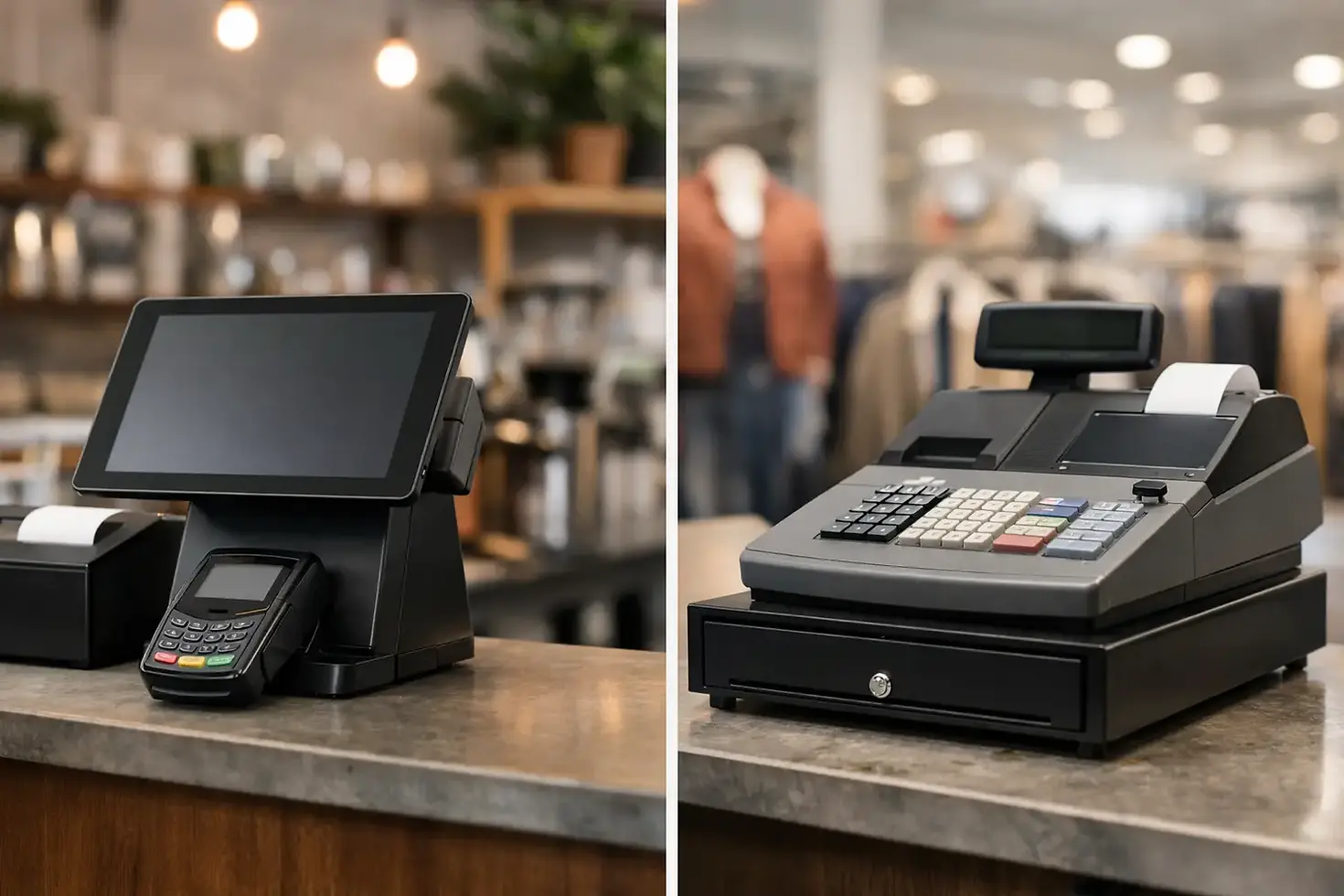
EPOS vs Cash Register: Which Suits Your Business?

A Saturday lunch rush exposes weak checkout systems quickly. Staff are taking orders, customers want to split bills, stock is running low, and the card terminal needs to work first time. The EPOS vs cash register decision is not simply about replacing a till. It is about choosing how your business takes payments, manages daily operations and prepares for growth.
A traditional cash register can still be a sensible, low-cost tool for a quiet business with a small product range. But for many shops, cafés, bars, takeaways and mobile traders, an EPOS system gives greater control over the sales data and processes that affect every shift.
EPOS vs cash register: the practical difference
A cash register is designed to record sales, open the cash drawer and calculate change. Modern models may include basic receipt printing, product buttons and limited reporting. It does one core job well: it helps you complete a transaction at the counter.
EPOS stands for electronic point of sale. An EPOS system combines a touchscreen till with software, payment acceptance and often connected tools such as receipt printers, kitchen printers, barcode scanners, customer displays and stock management. Instead of just recording a sale, it can show what sold, who served it, how it was paid for and what that sale means for your stock and margins.
That distinction matters when trading gets busy. A cash register keeps the queue moving. A properly configured EPOS system can keep the queue moving while also sending a food order to the kitchen, applying the right promotion, updating stock and recording the payment method automatically.
When a cash register is the better choice
There is no value in buying more technology than your operation needs. A cash register may suit a small trader where sales are mainly cash-based, the product range is simple and there is little need for detailed reporting.
For example, a market stall selling a narrow range of items over a few days each month may only need a basic till and a separate card reader. The upfront cost can be lower, staff training is minimal and there are fewer components to manage.
The trade-off is visibility. When you need to check which items are selling best, reconcile card payments, track refunds or understand what happened during a particular shift, a basic register can leave you relying on manual notes and end-of-day calculations. That takes time and makes errors more likely.
A standalone register can also become restrictive as the business changes. Adding online orders, loyalty offers, table service, multiple sites or larger stock lines usually means introducing separate systems. Those systems may work, but they do not always share the same information.
Where an EPOS system earns its place
An EPOS system is most useful when transactions are frequent, the team is busy or the operation has moving parts beyond a simple sale. It turns the till into a working control point rather than a box for cash.
For retail businesses, barcode scanning and live product buttons can speed up service and reduce keying mistakes. Stock records can help owners spot fast-selling lines, slow movers and products that need reordering. Returns and exchanges can be handled against the original transaction rather than through handwritten adjustments.
For hospitality, the benefits are often more immediate. Staff can send orders from the bar or counter to the kitchen, split bills accurately, move items between tables and apply service charges or discounts according to set rules. A café with a morning queue, for instance, needs quick contactless payments. A restaurant needs that speed as well as clear table and order management.
Reporting is another major advantage. Rather than waiting until the end of the week to add up receipts, owners can review sales by product, employee, payment type or trading period. That does not replace good bookkeeping, but it gives better day-to-day information for staffing, purchasing and promotions.
Cost is more than the price of the till
Comparing the ticket price of an EPOS unit with a basic cash register can be misleading. The right question is what the setup costs to run, what it saves in staff time and what it prevents from going wrong.
A cash register can be cheaper to buy. However, it may require a separate card terminal, separate payment reports and manual stock checks. If the owner spends an hour each evening reconciling sales, checking card receipts and updating stock, the lower purchase cost starts to look less attractive.
EPOS systems usually involve hardware, software and payment processing costs. Some suppliers offer low upfront costs with a monthly plan, which can be easier on cash flow than paying for every component at once. Before agreeing to any package, check exactly what is included: installation, training, card terminal connection, hardware cover, software features, support and replacement arrangements.
Payment pricing also deserves close attention. A clear rate and transparent contract terms are often more valuable than an introductory offer that changes later. Ask how refunds, chargebacks, minimum monthly charges and early termination are handled. The cheapest-looking option is not always the most predictable one.
Reliability matters more than extra features
A long list of features is of little use if your staff cannot take a payment at peak time. For most merchants, the best EPOS setup is dependable, straightforward and matched to the way the business actually trades.
Consider what happens if the internet connection drops, a terminal stops charging or the till needs replacing. Ask whether the system has an offline trading option, how quickly support responds, and whether replacement hardware can be supplied quickly. These are practical questions, not technical extras. Downtime means lost sales, frustrated customers and pressure on staff.
Professional installation can make a real difference, particularly for businesses changing from an older till, connecting printers or setting up multiple order points. The equipment needs to be positioned sensibly, products and menus need to be configured correctly, and staff should know the key tasks before the first busy service.
Choose based on how you trade now and next year
Start with the customer journey. If every sale is a straightforward item and cash remains common, a register may cover the essentials. If customers pay mainly by card, staff need to process orders quickly, or you need clear sales data, EPOS is likely to be the stronger investment.
Then look at the pressure points in your day. A retailer may need stock accuracy. A takeaway may need orders routed clearly between counter and kitchen. A bar may need fast tabs and split payments. A growing business with more than one location may need all sites using the same product and sales information.
It is also worth considering the future without buying for an imagined national chain. Choose a system that can add useful functions when required, rather than forcing a full replacement six months later. The goal is not complexity. It is a checkout setup that removes friction from the work your team already does.
Questions to ask before you commit
Before choosing a provider, be clear on the answers to these questions:
Can the system accept the payment methods your customers use most?
Does it support the way you sell, such as barcodes, tables, delivery orders or product variants?
Are card payments, till software and reporting connected in one place?
What are the upfront, monthly and transaction costs?
Is installation and staff training included?
What support is available when you are trading, including evenings and weekends?
What happens if the hardware fails?
For many independent merchants, the strongest option is an integrated package rather than a collection of separate devices. Flow Pay UK combines EPOS, card payments, installation, hardware protection and UK-based technical support, helping businesses reduce the number of suppliers involved in a sale.
Your till should not create more admin after the shutters come down. Whether you choose a cash register or EPOS, select the setup that lets your team serve confidently, take secure payments and gives you a clearer view of what is working on the shop floor.


Comments